Fabrieksinstellingen herstellen van een Cisco 2960-switch
Het herstellen van de fabrieksinstellingen op een Cisco Catalyst 2960-switch zorgt ervoor dat alle aangepaste instellingen zoals IP-adressen, gebruikersnamen, wachtwoorden en VLAN-definities worden verwijderd, waarna de switch opnieuw opstart met de standaard, ongewijzigde configuratie, alsof deze net uit de doos komt.
Vereisten
- een PC met Linux Mint 22
- minicom terminal emulation software
- toegang hebben tot een werkend IOS
- een console cable
- een Cisco 2960 24TT-L of 24TC-L Plus switch
Demo
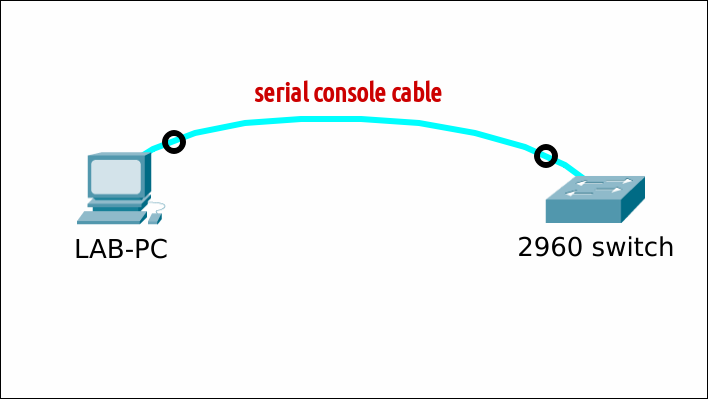
Setup
NVRAM en FLASH
Geef de inhoud weer van beide bestandssystemen.
- Nvram bevat o.a. de opstartconfiguratie (startup-config), gevoelige configuratiedetails (private-config), interne systeembestanden (persistent-data, ifIndex-table) maar mogelijks ook niet-standaard bestanden die daar bv. via tFTP zijn geraakt (test1.txt)
- Flash bevat o.a. het Cisco IOS, de VLAN database (vlan.dat), backup configuratie bestanden (config.bak), web gebaseerde bestanden, licentie- en systeembestanden, ...
    Switch#dir nvram:
    Directory of nvram:/

       62  -rw-        1315                    <no date>  startup-config
       63  ----           5                    <no date>  private-config
        1  ----          36                    <no date>  persistent-data
        2  -rw-           0                    <no date>  ifIndex-table
        3  -rw-        4864                    <no date>  test1.txt

    65536 bytes total (56996 bytes free)

    Switch#dir flash:
    Directory of flash:/

        2  -rwx    11832960   Jan 1 1970 00:25:40 +00:00  c2960-lanbasek9-mz.150-2.SE11.bin
        3  -rwx         616   Mar 1 1993 00:33:34 +00:00  vlan.dat
        4  -rwx        1315   Mar 1 1993 00:51:49 +00:00  config.text
        5  -rwx        7192   Mar 1 1993 00:53:00 +00:00  multiple-fs
        6  -rwx           5   Mar 1 1993 00:51:49 +00:00  private-config.text

    65544192 bytes total (53699072 bytes free)
    Switch#
NVRAM
Wis álles uit nvram
Als je enkel alle configuratiebestanden wil wissen, gebruik je ofwel erase startup-config, erase nvram: of write erase.
Switch#erase startup-config
Erasing the nvram filesystem will remove all configuration files! Continue? [confirm]
[OK]
Erase of nvram: complete
%SYS-7-NV_BLOCK_INIT: Initialized the geometry of nvram

Switch#dir nvram:
Directory of nvram:/

   62  -rw-           0                    <no date>  startup-config
   63  ----           0                    <no date>  private-config
    1  ----          36                    <no date>  persistent-data
    2  -rw-           0                    <no date>  ifIndex-table
    3  -rw-        4864                    <no date>  test1.txt

65536 bytes total (58316 bytes free)
Switch#
Voor een schone installatie is het beter om alles te wissen met erase /all nvram:.
FLASH
Wis vlan.dat
De VLAN ID's en namen (VLAN 2-1001) worden opgeslagen in vlan.dat wanneer de switch in de VTP Server of VTP Client modus staat. Wis het bestand indien aanwezig.
Wis overige bestanden
Het multiple-fs-bestand is een intern systeembestand. De switch zal bij de volgende herstart (of wanneer het IOS dit bestand nodig heeft) de interne structuur van het Flash-geheugen controleren en het bestand automatisch opnieuw aanmaken.
Switch#delete flash:multiple-fs
Delete filename [multiple-fs]?
Delete flash:/multiple-fs? [confirm]
Switch#
Zorg ervoor dat enkel het Cisco IOS nog aanwezig is. Heb je per vergissing IOS gewist? Dan moet je die opnieuw installeren. Wis alle overige bestanden.
Switch#dir flash:
Directory of flash:/

    2  -rwx    11832960   Jan 1 1970 00:25:40 +00:00  c2960-lanbasek9-mz.150-2.SE11.bin

65544192 bytes total (53709824 bytes free)
Switch#
Wachtwoordherstelmechanisme inschakelen
Controleer of het wachtwoordherstelmechanisme is ingeschakeld of uitgeschakeld. In dit voorbeeld is het uitgeschakeld. Je kan de instelling controleren vanuit een werkend IOS of vanuit ROMMON.
Indien nodig, schakel deze optie in, zoals in dit voorbeeld.
Standaard SDM-sjabloon instellen
Toon het huidige SDM-voorkeurensjabloon. In dit voorbeeld is de dual-ipv4-and-ipv6 default template actief, wat niet de standaard template is.
--- Vanuit IOS ---
Switch#show sdm prefer
The current template is "dual-ipv4-and-ipv6 default" template.
The selected template optimizes the resources in
the switch to support this level of features for
0 routed interfaces and 255 VLANs.
...
...

--- Vanuit ROMMON ---
switch: set
...
SDM_TEMPLATE_ID=2
...
Indien nodig, zet het terug naar de standaardinstelling. We zullen de switch aan het einde opnieuw laden/opstarten.
--- Vanuit IOS ---
Switch#conf t
Enter configuration commands, one per line.  End with CNTL/Z.
Switch(config)#sdm prefer ?
default             Default bias
dual-ipv4-and-ipv6  Support both IPv4 and IPv6
lanbase-routing     Supports both IPv4 and IPv6 Static Routing
qos                 QoS bias
Switch(config)#sdm prefer default
Changes to the running SDM preferences have been stored, but cannot take effect
until the next reload.
Use 'show sdm prefer' to see what SDM preference is currently active.
Switch(config)#end

--- Vanuit ROMMON ---
switch: unset SDM_TEMPLATE_ID

switch:
Wacht nog met herstarten; controleer eerst.
Standaardomgevingsvariabelen instellen
Het commando show boot zou er ongeveer zo uit moeten zien. De meeste van deze variabelen kunnen worden ingesteld vanuit IOS en/of ROMMON.
Switch#show boot
BOOT path-list      : flash:/c2960-lanbasek9-mz.150-2.SE11.bin
Config file         : flash:/config.text
Private Config file : flash:/private-config.text
Enable Break        : yes
Manual Boot         : no
Allow Dev Key         : yes
HELPER path-list    :
Auto upgrade        : yes
Auto upgrade path   :
NVRAM/Config file
    buffer size:   65536
Timeout for Config
        Download:    0 seconds
Config Download
    via DHCP:       disabled (next boot: disabled)
Voorbeeld 1: alleen indien nodig, corrigeer de parameter "BOOT path-list".
Voorbeeld 2: alleen indien nodig, corrigeer de parameter "BOOT manual".
Reload
--- From IOS ---
Switch#reload
System configuration has been modified. Save? [yes/no]:     -----> antwoord "no" als je deze vraag krijgt!
Proceed with reload? [confirm]                              -----> druk "Enter"

--- From ROMMON ---
switch:reset
Clean switch
Je krijgt de initial configuration dialog-wizard. Antwoord "nee" bij de prompt. Trek nu gewoon de stekker uit het stopcontact om de switch uit te schakelen, aangezien er geen aan/uit-schakelaar is zoals op bv. een Cisco 1941-router.
        --- System Configuration Dialog ---

Enable secret warning
----------------------------------
In order to access the device manager, an enable secret is required
If you enter the initial configuration dialog, you will be prompted for the enable secret
If you choose not to enter the intial configuration dialog, or if you exit setup without setting the enable secret,
please set an enable secret using the following CLI in configuration mode-
enable secret 0 <cleartext password>
----------------------------------
Would you like to enter the initial configuration dialog? [yes/no]:     -----> antwoord "no"
Switch>enable
Switch#